

Buying 10gb Sfp Cables across borders can seem straightforward: choose a speed, select a length, and place an order. The details matter more. A cable that fits physically may still mismatch the switch, transceiver, fiber type, or required reach. Before comparing prices, confirm whether your links need multimode or single-mode fiber, which connector they use, and whether the equipment requires vendor-coded modules. Small labels matter. So do clear datasheets.
This guide draws on practical network procurement principles. The quoted line below is an original illustrative statement from a fictional industry expert, not a verified published quotation: “A low price is useful only when the link works reliably at both ends,” says network cabling adviser Elena Park. Use that idea to assess more than the sticker price. Check compatibility lists, test reports, cable length, packaging, warranty terms, and the supplier’s ability to answer technical questions. For global orders, also compare shipping estimates, stock status, and replacement support. Ask for a sample when the project allows it. A neat product photo proves very little. The right 10gb Sfp Cable should match the actual link design, not just the wording on a sales page. These seven tips will help buyers evaluate products and suppliers with care, while leaving room to revisit assumptions when specifications are unclear.
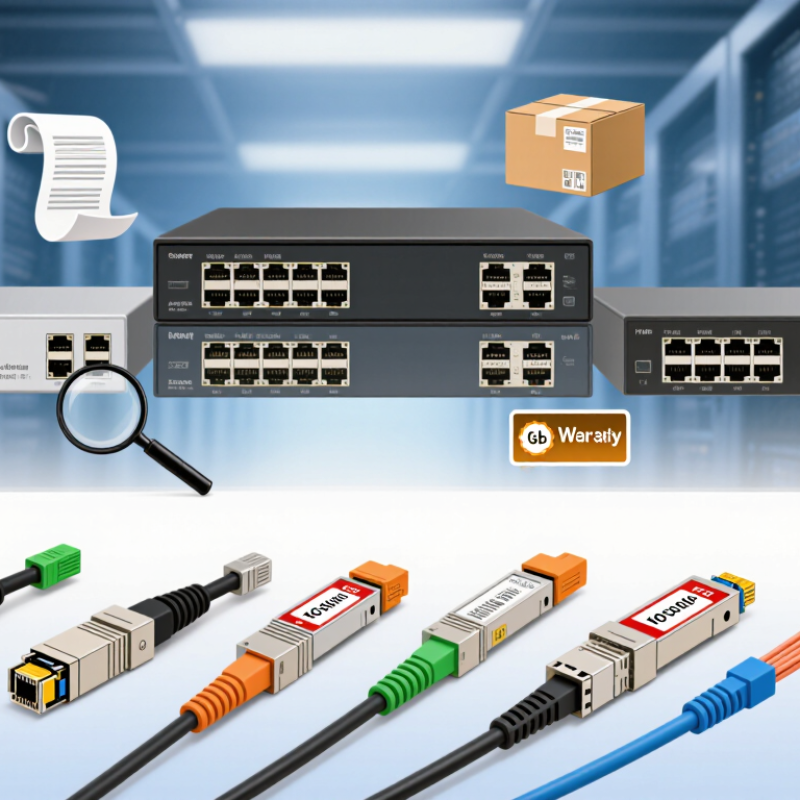
10Gb SFP cables fall into three common groups: direct-attach copper (DAC), active optical cables (AOC), and fiber links using separate transceivers. DAC uses twinax copper and suits short connections between nearby switches. AOC carries signals over fiber, with optical ends attached. Separate optics offer more flexibility for longer routes or existing structured cabling. That difference matters.
Match the link to its standard and distance. For example, 10GBASE-SR uses multimode fiber, typically OM3 or OM4, while 10GBASE-LR uses single-mode fiber such as OS2. SR can reach about 300 meters on OM3 and 400 meters on OM4; LR is designed for longer links, commonly up to 10 kilometers. Check the standard. Also confirm connector type, fiber polarity, and whether both devices support the selected transceivers.
IEEE 802.3 defines Ethernet signaling, while the SFP+ MSA describes the module form factor and interface. Compliance labels alone do not guarantee every cable works in every port, so check the equipment documentation and supported cable length. In real rack layouts, the cable route often exceeds the straight-line distance. Measure around trays and doors, then leave room for gentle bends. I still find compatibility easy to overlook when a link looks physically right.
7 Tips for Buying 10Gb SFP Cables Globally
Matching Cable Specifications to Network Equipment
A 10Gb connection is only reliable when the cable matches both ends of the link. Check that each switch or server port supports the SFP+ form factor and the intended data rate. A 10Gb label alone is not enough. Some ports accept only specific cable types or coded modules, so consult the equipment documentation before ordering.
Choose the connection type to suit the distance and installation. Direct-attach copper cables are often practical for short, rack-to-rack links. Active optical cables can serve longer runs without separate optical modules. For fiber links, verify the transceiver wavelength, fiber grade, connector type, and supported reach together. For example, a multimode link with LC connectors must match the optics at both ends. Small details matter.
In real installations, cable length is easy to underestimate: allow enough slack for routing, but avoid coils that crowd a cabinet. Confirm the cable’s operating temperature and bend-radius guidance, especially in dense racks. Test before rollout. Check link speed, error counters, and physical fit on the actual equipment. Compatibility lists are useful, though they may not cover every configuration; when uncertain, request written confirmation from the supplier and test one sample first. I would not assume that a cable working in one port will behave identically in another.
| Tip | What to Check | Equipment-Matching Guidance | Global Purchasing Consideration |
|---|---|---|---|
| 1. Confirm the port type and data rate | Check whether the equipment has SFP+ ports and supports 10 Gigabit Ethernet. Confirm the port’s supported media and operating modes in its documentation. | An SFP+ cable is not automatically compatible with an SFP or SFP28 port. Some devices support multiple rates, but this must be confirmed for the specific port and configuration. | Send suppliers the equipment model, port type, and required link speed before requesting a quotation; avoid ordering by the phrase “10Gb cable” alone. |
| 2. Choose the right cable technology | Select a direct-attach copper cable (DAC) or an active optical cable (AOC) according to the required reach, routing path, and installation environment. | DAC assemblies are commonly used for short connections between nearby devices. AOC assemblies use optical fiber and are available in longer reaches; confirm the exact supported length for both endpoints. | Compare the complete assembly specification, including cable type and rated length. Do not assume that a longer cable will work just because its connectors fit. |
| 3. Measure the required reach | Measure the actual cable route, allowing for rack routing, bends, and service slack. Compare it with the supplier’s rated maximum length. | Passive DACs are generally intended for short links; active DACs and AOCs may support longer links, depending on the specific assembly. Use the manufacturer’s reach rating rather than a general rule. | Confirm whether the quoted length refers to the full cable assembly and check the available length increments before placing an international order. |
| 4. Match connector and media requirements | For DAC and AOC products, verify the SFP+ ends and any required cable routing or breakout arrangement. For separate optical modules and fiber, check connector type, fiber type, wavelength, and optical reach. | A typical 10GBASE-SR optical link uses 850 nm multimode optics and duplex LC fiber connectors. This is a separate optical-module-and-fiber setup, not a single-ended SFP+ DAC assembly. | Ask for a complete bill of materials when ordering optical components so that both ends of the link use compatible modules and fiber. |
| 5. Verify host compatibility | Check the equipment documentation or compatibility list for supported cable assemblies, EEPROM coding requirements, and any port restrictions. | Some equipment validates the identification data encoded in a cable assembly. Physical fit alone does not guarantee that a device will recognize or enable the link. | Provide the exact endpoint models and request written confirmation of compatibility. Agree on the return or replacement process if the equipment rejects the assembly. |
| 6. Check power, thermal, and installation limits | Review the assembly’s power consumption, operating temperature range, bend guidance, and airflow requirements where specified. | Active assemblies contain electronic components and may have different power and thermal characteristics from passive DACs. Confirm that the host ports support the selected assembly. | For dense racks or warm environments, compare the supplier’s published operating limits with the installation conditions at the destination site. |
| 7. Validate documentation and delivery terms | Request a datasheet, test or inspection details, part-level specifications, warranty terms, and confirmation of the supplied length and cable type. | Before deployment, test each link at the intended speed and check link status and error counters on both endpoints. Keep the approved specifications with the network records. | Confirm lead time, packaging, country of origin, export or import documentation, duties, delivery terms, and the process for handling defective items. |
For a 10Gb link, match the fiber to the optical modules at both ends. Multimode OM3 or OM4 is common for shorter runs using 850 nm optics. Single-mode OS2 suits longer routes, but only when the installed modules support it. A jacket color is a clue, not proof. Check the cable marking and module specifications.
Connector details can stop a link before distance becomes an issue. LC duplex connectors are common, but confirm the port type and whether the link needs two fibers. Check polarity: transmit on one end must reach receive on the other. Inspect the end faces for dust or scratches; even a small speck can cause trouble. Keep connector polish consistent with the equipment requirements. Small detail, big impact.
Distance claims need context. Compare the required route length with the module’s rated reach for that exact fiber type, then allow for patch panels and extra slack. A 300-meter rating does not mean every 300-meter installation will perform equally well. I still double-check the path length; site drawings can be optimistic. For international orders, request clear fiber, connector, and length labels, plus test results when available. This makes receiving checks easier, though paperwork cannot replace testing the completed link.
A 10Gb SFP cable can look identical across supplier listings, yet differ in coding, length, and compatibility. Ask for the exact cable type, connector layout, supported equipment, and test results before comparing prices. IEEE 802.3 and the relevant SFF specifications provide useful reference points; a seller’s “10Gb” label alone is not a compatibility guarantee. UNCTAD’s Review of Maritime Transport 2024 reports that seaborne trade grew 2.4% in 2023, while shipping routes faced disruption. Build freight terms, delivery estimates, and a buffer into the landed-cost calculation.
Tip: Request a dated quotation showing unit price, shipping, warranty, minimum order, and currency. Confirm whether samples and replacement units follow the same terms. Ask suppliers for traceable product documentation, including RoHS declarations where applicable, and verify that claims match the destination market’s requirements. Compare at least two independent offers. A low price may exclude duties or testing.
Tip: Check the supplier’s factory or distributor status, response speed, and return process. Request a sample and inspect its label, cable length, connector fit, and link stability under load. Keep the approved sample and written specifications for later orders. A neat certificate can still leave gaps. I would also recheck compliance paperwork when the product revision changes; that step is easy to miss.
Tip 1: Before ordering 10Gb SFP cables, confirm the fiber type, connector, length, and required wavelength. Match these details against your equipment specifications, not just the product title. Ask for a current test report or inspection record when available. A clear photo of connector ends can help, but it cannot replace technical documentation.
Tip 2: Read the warranty terms before comparing prices. Check how long coverage lasts, what failures qualify, and who pays return shipping. Ask about the replacement process and expected response time. Keep the written answer with your order records. Small print is easy to overlook, and I would not assume “warranty included” means every fault is covered.
Tip 3: Get delivery terms in writing. Confirm dispatch time, estimated transit time, tracking availability, packaging, and responsibility for import charges. For a project deadline, ask whether the quoted date is an estimate or a confirmed shipping commitment. Allow extra time for customs and unexpected delays; even careful planning can miss a snag. If the cable arrives late or damaged, dated photos and the packing slip make a useful record.
