

Scroll Top
4801 Bennett Rd. Toledo, Ohio 43612

10 Best Commercial Printing Machines for Businesses

Choosing a Commercial Printing Machine is less about buying the fastest model and more about matching equipment to daily work. A busy copy room may need reliable duplex printing, while a marketing team may value crisp color and flexible finishing. One office prints hundreds of invoices each week. Another produces short-run brochures with heavier paper and polished covers. Their needs are not interchangeable.

Paper size, print speed, monthly duty cycle, and finishing options all affect the fit. So do footprint, power use, service access, and the cost of toner or ink. Not glamorous. But a machine that jams during a deadline can cost more in staff time than its price tag suggests. No single model suits every business, and published speeds rarely tell the whole story.

This guide compares 10 commercial printing machines across practical business needs, from everyday documents to higher-volume color jobs. It considers image quality, handling capacity, workflow features, and the support buyers should check before purchasing. Real-world output can vary with paper, settings, and workload, so treat specifications as a starting point, not a promise. Some costs are easy to overlook. Service terms and consumables deserve a second look, too. The right choice should make routine jobs easier without leaving a business paying for capacity it rarely uses.
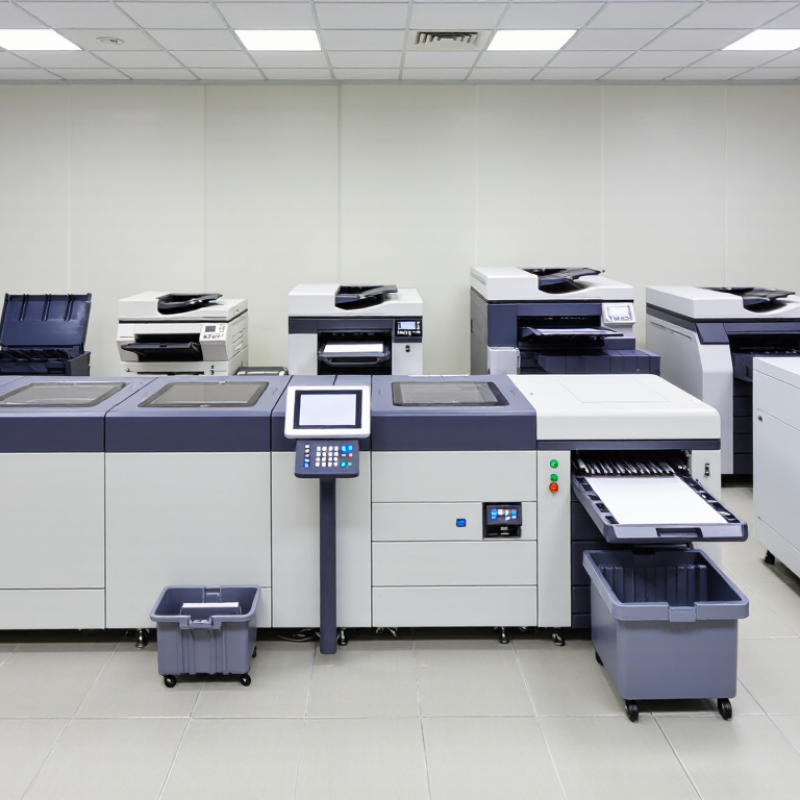
10 Best Commercial Printing Machines for Businesses

Commercial Printing Machines: Purpose and Core Technologies

Commercial printing machines convert approved files into repeatable products, from folded brochures to labels and packaging. Their purpose is not simply to print quickly. They must hold color, registration, and output quality across a chosen paper or other substrate. A small shift in alignment can leave text visibly off-center. That matters.

Core technologies serve different workloads. Offset presses transfer ink from plates and often suit long runs with stable artwork. Digital toner presses use charged imaging components; production inkjet sprays droplets directly onto the substrate. Both can reduce setup compared with plate-based work, but their costs and finish options differ by job. Wide-format systems handle posters, signs, and display graphics. Finishing equipment—cutters, folders, and binders—turns printed sheets into usable products. A fast press is not much help if finishing creates a bottleneck.

Machine choice should follow actual job data: run length, changeover frequency, substrate range, color tolerances, and delivery deadlines. Smithers’ report The Future of Global Printing to 2028 valued the global print market at $834.3 billion in 2022 and projected $846 billion by 2027. The forecast signals a large, evolving market, not a guarantee of demand for any single shop. Still, matching a machine to real jobs is not always obvious. A practical test is to compare sample output, waste rates, and operator time under typical production conditions.

Key Factors for Evaluating Business Printing Equipment

Key Factors for Evaluating Business Printing Equipment

Choosing a commercial printing machine starts with the work it must handle each day. Estimate monthly volume, then compare it with the machine’s recommended duty range. A device running near its limit may slow down or need more frequent maintenance. Check real production speed, not just the headline pages-per-minute figure. Complex layouts, duplex printing, and heavier paper can reduce output. Paper matters. Confirm supported sizes, weights, and finishing options before buying.

Tips: Print a sample batch using your own files and paper. Check small text, color consistency, registration, and how long the job takes. Ask about routine maintenance, replacement parts, and service response times.

Also calculate the total cost of ownership. Include supplies, energy, maintenance, and any finishing equipment—not only the purchase price. A low-cost machine can become expensive if it needs frequent attention. Consider where it will sit: measure the space, allow room for paper trays, and check ventilation and noise. Match the equipment to your workflow, including how staff send jobs and track print costs. No estimate is perfect; revisit your volume assumptions after a few months. A careful test can still reveal surprises.

Ten Leading Commercial Printing Machines Compared

Commercial printing machines differ less by headline speed than by the work they handle consistently. Smithers’ The Future of Global Printing to 2028 valued the global print market at about $834.3 billion in 2023 and forecast roughly $846 billion by 2028. That scale hides very different needs: short-run books, packaging, and oversized displays require different equipment. No universal winner.

For short-run brochures, production toner presses offer quick setup and predictable color, while cut-sheet inkjet presses suit variable data and frequent job changes. Continuous-feed inkjet systems handle long book or mail runs with less paper handling. Sheetfed offset presses remain practical for large, repeat orders, but plate preparation makes tiny jobs less attractive. Flexographic presses serve high-volume labels and packaging; they need careful setup, and changeovers can cost time.

Wide-format UV printers produce rigid signs on boards, while eco-solvent machines suit flexible banners and decals. Dye-sublimation systems make vivid fabric graphics, but work best with compatible materials. Dedicated label presses reduce finishing bottlenecks. Hybrid presses combine print methods, though added complexity is real. Choose by monthly volume, substrate, finishing needs, and measured waste—not brochure claims. Ask for a live sample. Check service access, too. I would still compare actual job costs; estimates can miss reprints and setup waste.

Matching Printer Types to Business Workloads and Materials

A commercial printer should match the work, not just the advertised pages-per-minute figure. For frequent, short-run documents such as invoices, manuals, and sales sheets, production toner presses can offer consistent text and quick turnaround. They suit coated and uncoated paper, though heavy stocks may need careful testing. A fast machine is not automatically the economical choice.

Inkjet systems can be a better fit for variable jobs, color-heavy graphics, or large-format posters and plans. Wide-format printers handle rolls of paper, canvas, and some films, but ink compatibility and drying time matter. Label printers serve a different workload: narrow rolls, repeat designs, and materials such as paper or synthetic label stock. Small details count. Adhesive, surface texture, and exposure to moisture can change the result.

Estimate monthly volume, typical sheet size, color coverage, and finishing needs before comparing machines. A shop producing many identical pages may value speed and predictable cost per sheet. A smaller team with varied jobs may prefer flexible media handling, even if each print takes longer. Ask for a sample on your actual stock. It can reveal curling, smudging, or color shifts that a specification sheet will not. These checks take time, and they are easy to skip when deadlines are tight.

Operating Costs, Workflow Integration, and Maintenance

A commercial printing machine’s purchase price is only the visible cost. Track electricity, toner or ink, paper waste, service visits, and staff time per finished job. The U.S. Energy Information Administration reported an average commercial electricity price of 12.59 cents per kilowatt-hour in 2023; actual tariffs vary by location and demand charges. For a realistic estimate, record each machine’s power use during warm-up, printing, and standby, then compare the readings with monthly output. Small jobs can be surprisingly expensive.

Workflow fit matters just as much. Check whether the machine accepts files directly from your design and job-tracking systems, supports reliable color profiles, and flags low supplies before a deadline. Smithers’ report, The Future of Global Printing to 2028, estimated the global print market at $818.9 billion in 2019 and forecast $874 billion for 2024. That scale signals a competitive market, but it does not guarantee savings for an individual shop. Measure setup time, reprints, and jobs waiting for approval.

Maintenance needs to be planned, not improvised. Ask for service response times, preventive-maintenance intervals, and the cost of common replacement parts. Keep a simple log: paper jams, cleaning cycles, downtime, and spoiled sheets. It will not be perfect. A week of records can still reveal whether a machine slows at peak hours or needs more operator attention than expected.

10 Best Commercial Printing Machines for Businesses

Operating Costs, Workflow Integration, and Maintenance

How to read this: This illustrative budget totals $8,500 per month for a hypothetical commercial print operation. Actual costs vary with print volume, equipment type, labor rates, service agreements, and workflow software.